- July 8, 2025
Gemini AI is Integrated into Google Docs: Improved Writing and Tailored Tools to Grow Your Company
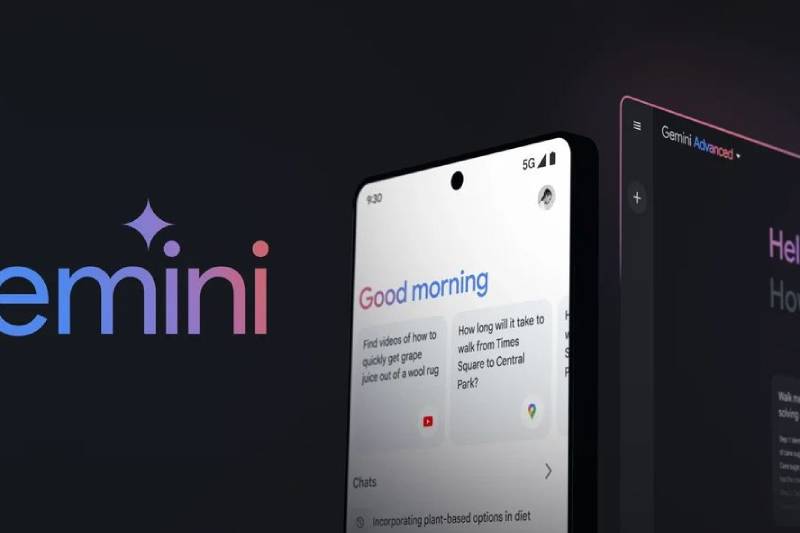
This week, Google revealed that its Gemini AI tools would be integrated into Workspace, giving users access to personalized AI helpers, or “Gems,” in popular productivity apps. The functionality, which is available in the side panel of Docs, Slides, Sheets, Drive, and Gmail, makes AI support easier to reach for daily tasks by doing away with the need to launch the Gemini app separately.
Gmail, Docs, Slides, and Sheets all receive a significant AI update
With AI agents constantly available, Google Workspace’s personalized assistants can be customized to achieve professional objectives. Gemini’s integration makes it unnecessary to navigate between tabs or search among several chatbots in order to locate the appropriate tool. The most potent features of Gemini are now accessible precisely where and when you need them.
Google’s Gemini platform lets customers develop or choose customized “Gems,” in contrast to many basic AI helpers that provide general, one-size-fits-all functionality. These Gems are specialized AI agents made to manage certain corporate duties, including creating expert emails, producing thorough reports, or deciphering intricate datasets. Gemini offers more accurate, pertinent assistance by customizing these AI helpers to certain workflows and requirements.
By adding your own files, you may personalize gems and provide the AI with context relevant to a particular activity. Google provides a collection of prefabricated Gems for typical tasks like editing, coding, and creating sales pitches for people who are less likely to start from scratch. These chatbots can ease the strain of repetitive chores as they learn about your work patterns over time.
Gemini AI “Gems” prevent you from switching between chatbots
Workflows that are divided are common among those who employ AI significantly. They may switch between several chatbots for assistance after using systems like WordPress or Google Workspace for essential activities. The goal of Google’s integration is to combine these into a single, comfortable setting that is easily accessible with AI support.
The side panel’s gems give you access to strong AI tools. Employ a copywriter to provide audience-specific content, or a role-specific assistant Gem to produce pertinent summaries, messages, or sales concepts. Instead of working around you, they are meant to work around you.
Giants in the industry like Microsoft, Google, and Meta see great potential in AI assistants influencing the nature of work in the future. These agents are able to perform work around the clock, even while you’re asleep, for many jobs that need constant human attention.
Imagine having a committed assistant who keeps a close eye on sales queries all night long to make sure no possible opportunity is missed. Without needing your continuous attention, they can plan meetings across time zones, write follow-up emails, and even provide informative reports based on the most recent data.
Choose a preset gem or create your own to grow your business
Gems are made to easily integrate into your workflow while you’re working hard. They silently assist you when necessary, whether it’s confirming a fact or creating a more understandable graph for investor presentations, rather than distracting you with continuous input.
In Gmail, gems act as clever assistants, making astute recommendations to improve your emails, whether they are brief messages or lengthy proposals. By identifying patterns and condensing important numbers without the use of intricate calculations, Sheets streamline data analysis. With audience-specific design advice and rehearsal comments, Gems on Slides assists you in producing professional presentations.
Simply click the “Ask Gemini” spark button located in the upper-right corner of any document to access Gems in Workspace. A panel containing preloaded Gems and the ability to construct your own custom Gem using Google’s help resources are displayed as a result. Because of Google’s slow deployment, personalized assistants might not be available right now, but it’s still worth watching. Google says it can take more than 15 days for all users to receive the update, which began on July 2.
Tasks spanning Docs, Sheets, and other platforms may now be finished more quickly and easily than ever before thanks to Gemini AI powering Workspace. Users no longer have to switch between tabs or continuously remind their AI assistants of context and prompts. These Gems serve as devoted, always-ready assistants who work in the background to foresee requirements, optimize processes, and increase output.
These Gems can help you stay on top of your work and ensure that you never miss a beat if you let them in.